The tasting menu that grows your wine club.
Vinto is an all-in-one tasting menu solution for Commerce7. Create unlimited menus each with their own mobile, print, and embeddable versions. Sync once, update everywhere.
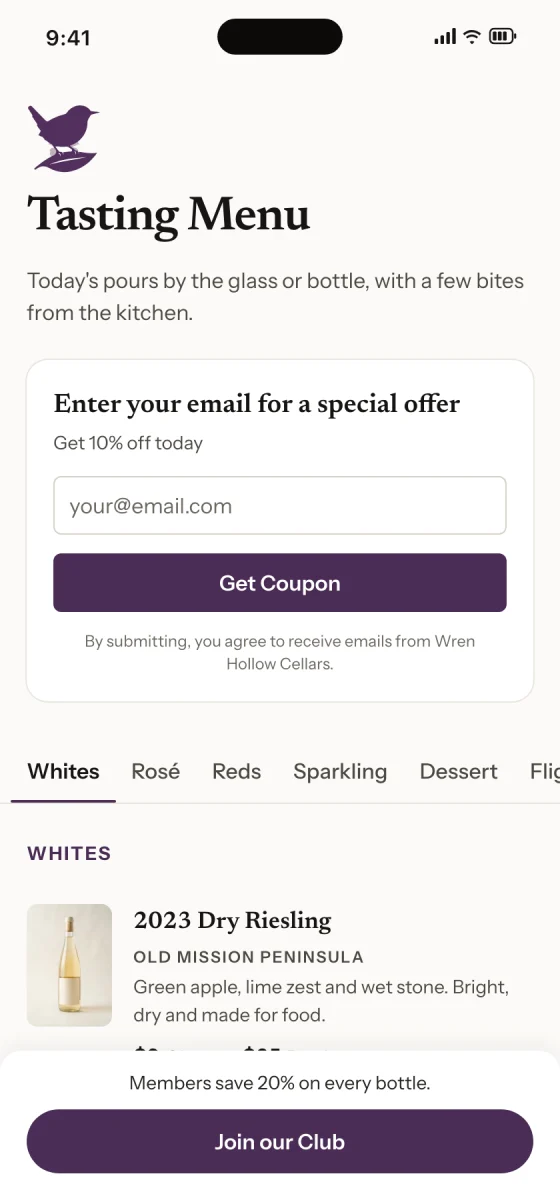
Scan. Sip. Join.
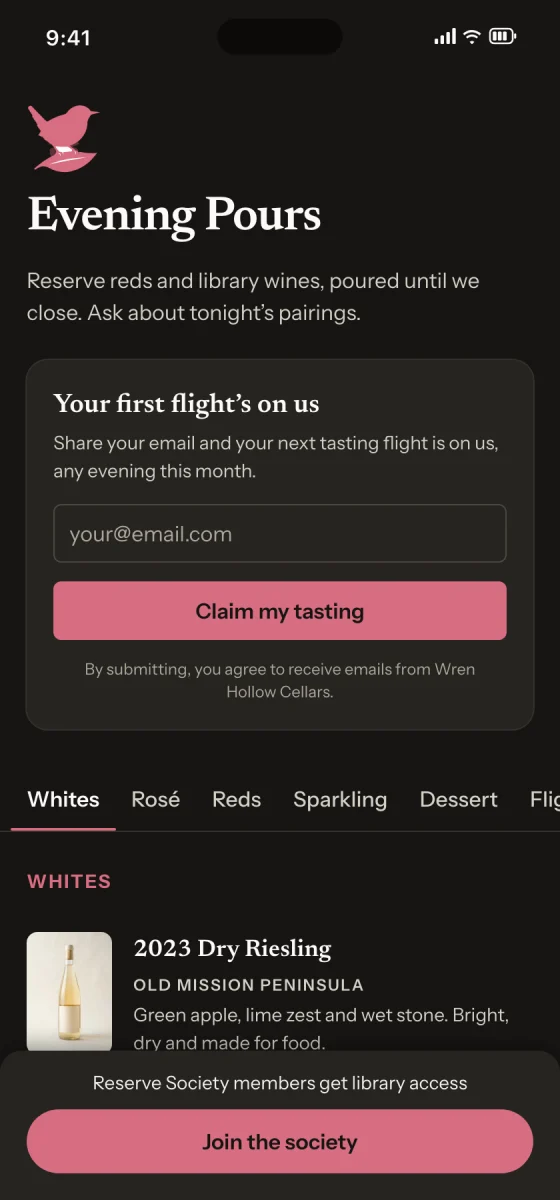
Guests don’t download an app or make an account. The menu opens in their phone’s browser and is built to load quickly.

- 1
Scan
Guests point their phone camera at the code, your menu opens. Simply place the provided QR codes on table tents or other signage.
- 2
Sip
Menus are quick and easy to navigate via category. Each product shows its photo, description, and prices.
- 3
Join
When they’re ready, the club button is there. Guests who share an email can get your coupon code on the spot.
Tip: Put a code on every table
Download each menu’s code as an SVG or PNG for table tents, bottle tags or signs. It always opens your latest menu, so you won’t need to reprint after changes.
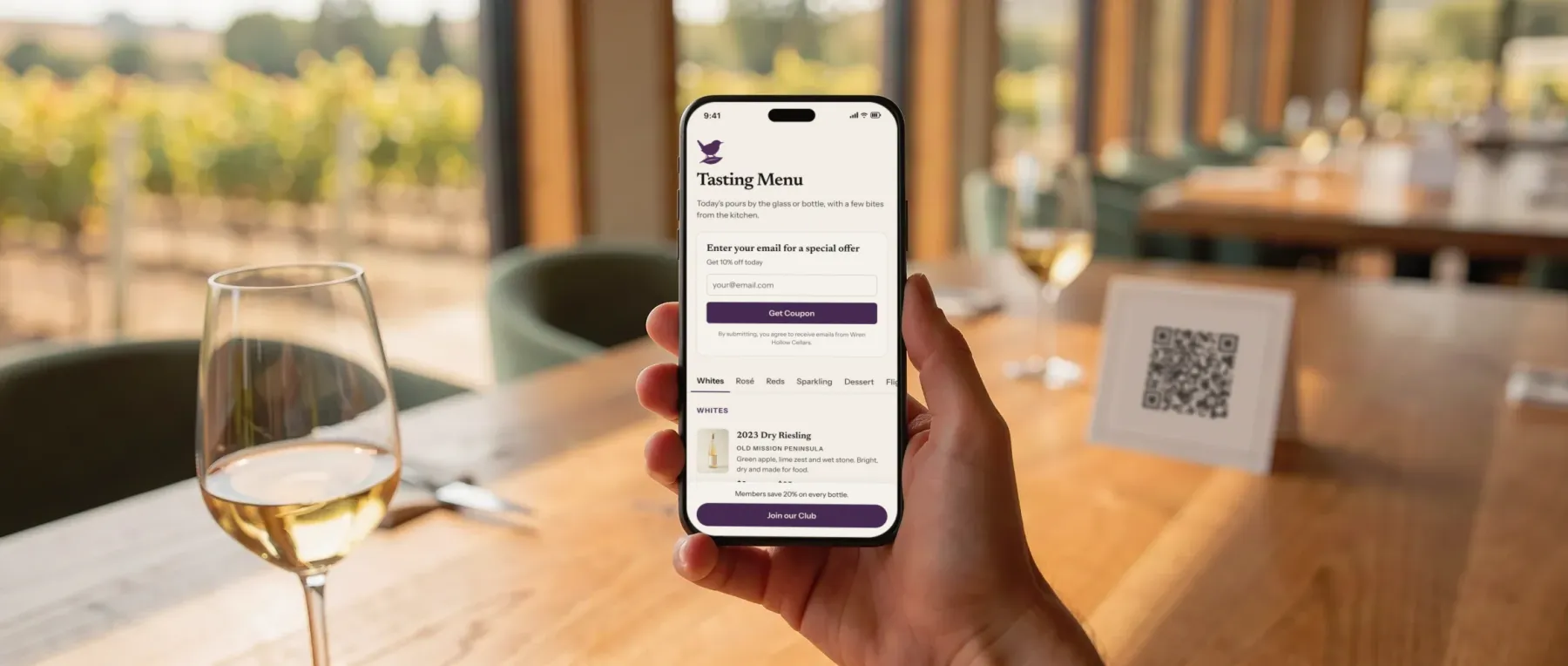
Everything a pour needs to sell itself.
Easy to set up, easy for staff to maintain.
Pulls from Commerce7
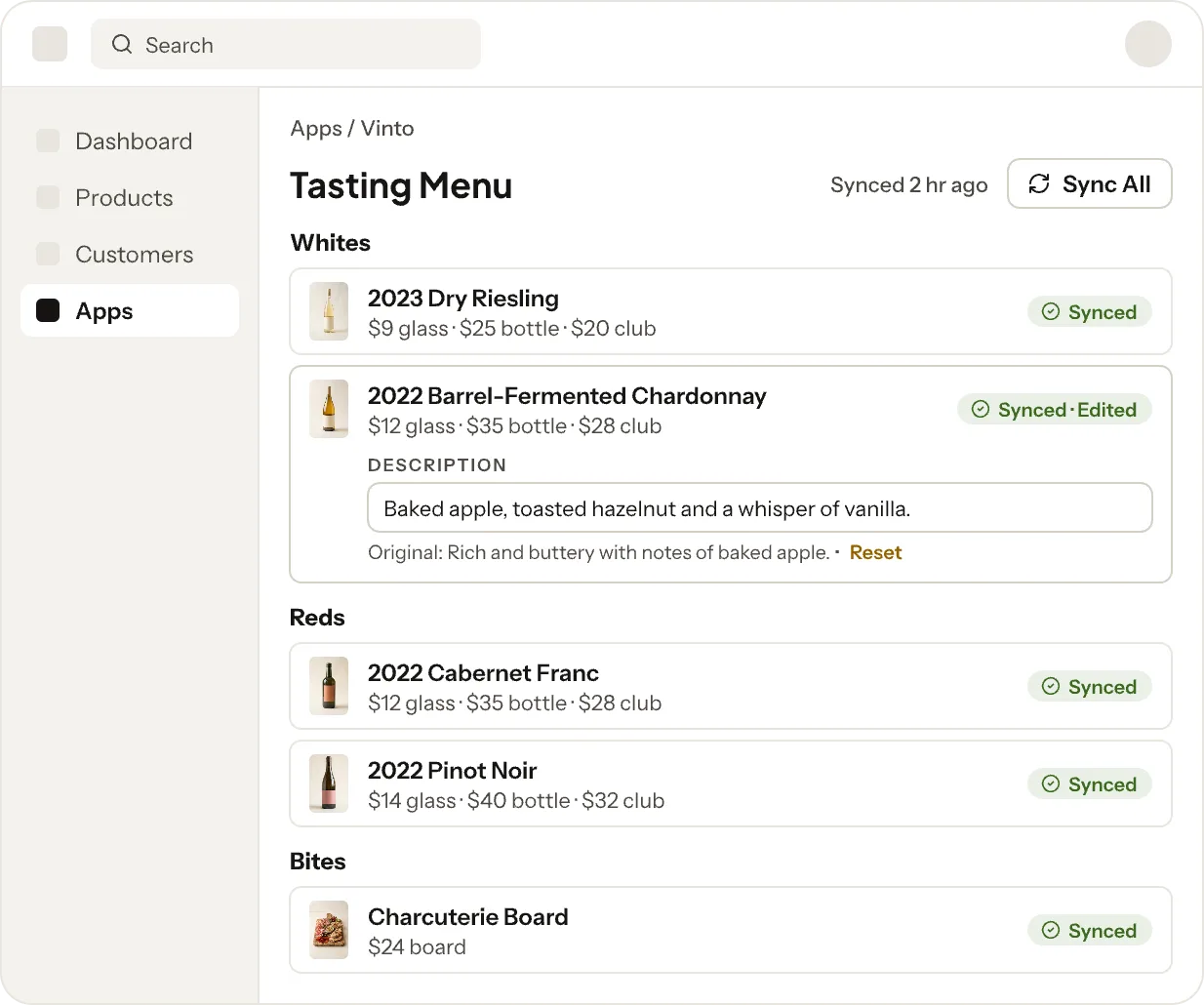
Import your products, then sync one item or the whole menu whenever you choose. Nothing updates until you say so.
Exactly what you pour
Pick which variants to show, or combine a glass pour and a bottle into one listing. Sale prices appear automatically.
Edits that stick
Rename a wine, rewrite its notes, or swap its photo — syncing won’t undo it. Reset to the synced version in one click.
Looks like your winery
Customize your menu without getting lost in a design tool. Add your logo, choose a few style details, and Vinto takes it from there.
Unlimited menus
Make a menu for each season, event, or club pickup, and switch each one on or off whenever you need it.
Simple for staff
Drag items and categories into place, changes save as you go. Preview how a menu looks on a phone, tablet, computer, and print.
Menus that look like yours.
Choose your own accent color, pick a background color, and select a font style. A few simple choices and the menu looks like it belongs on your bar.
If your accent color would be hard to read on a surface, Vinto slightly adjusts it and shows you the result as you go.
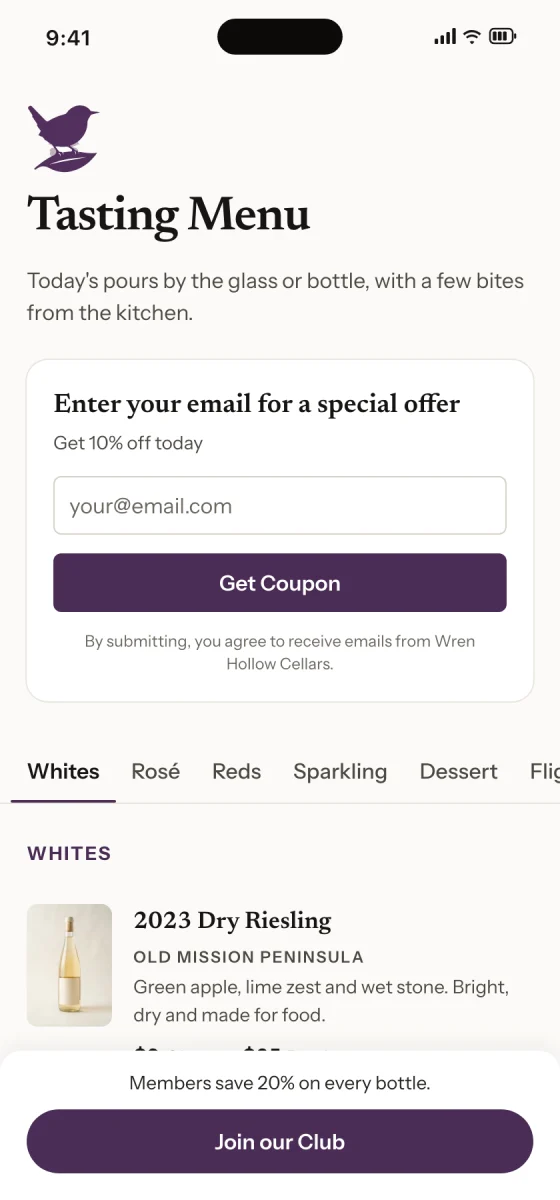
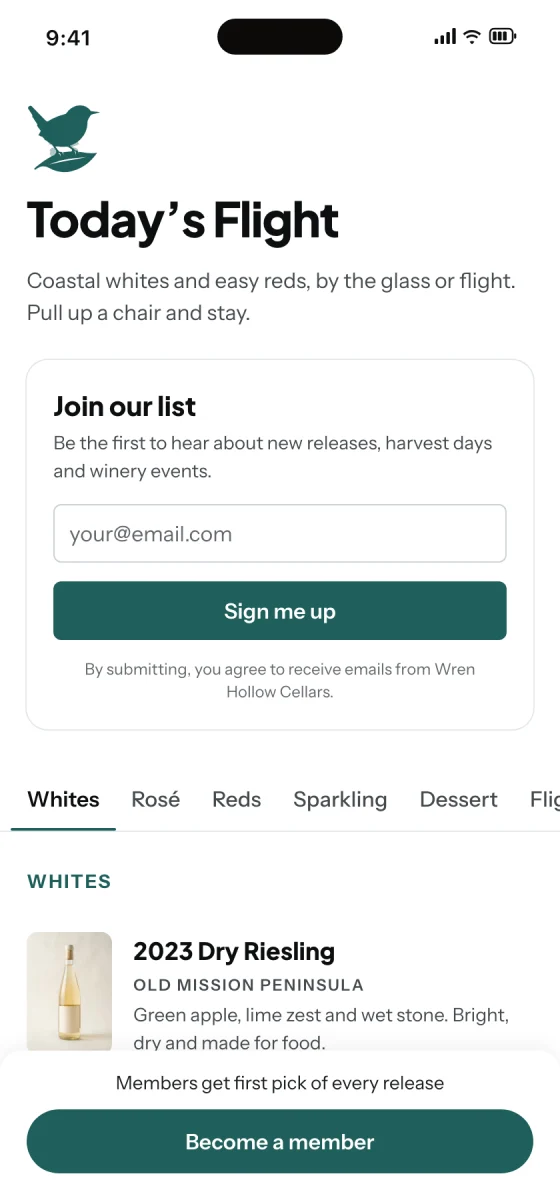
One menu. Use it everywhere.
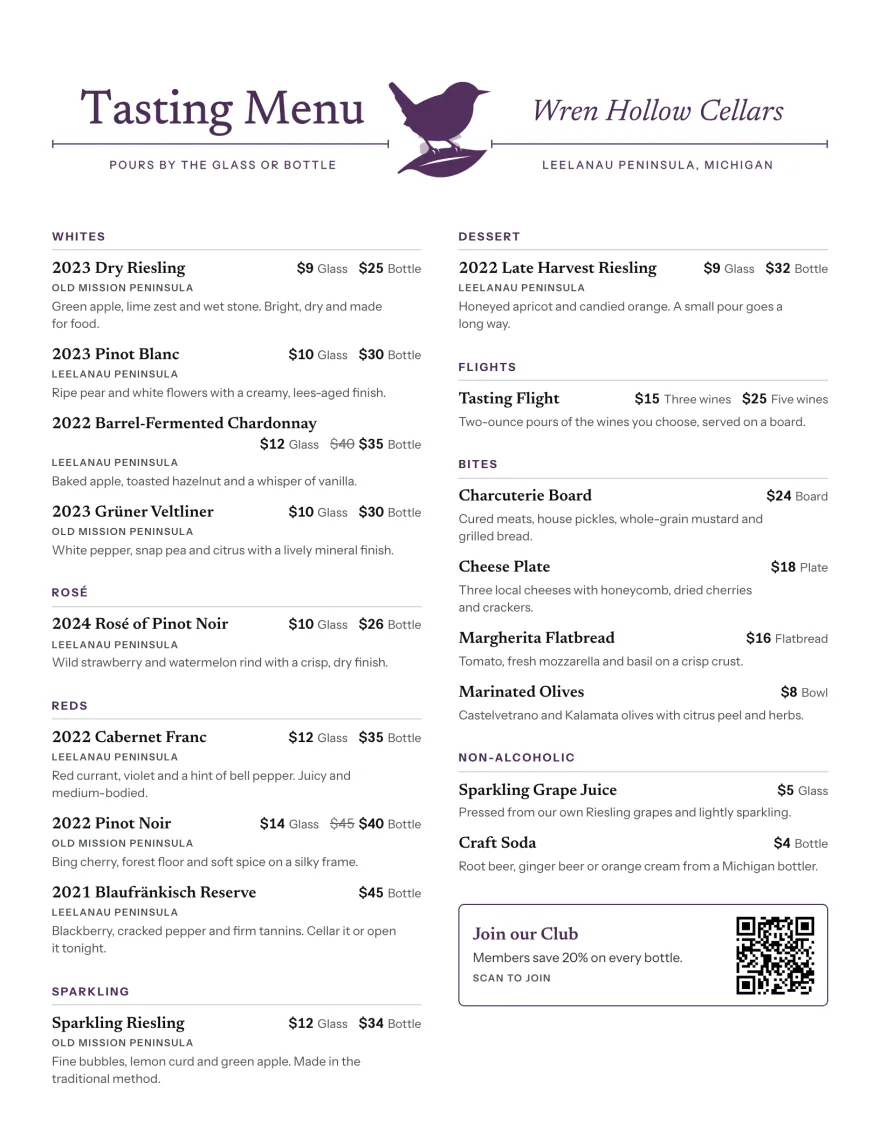
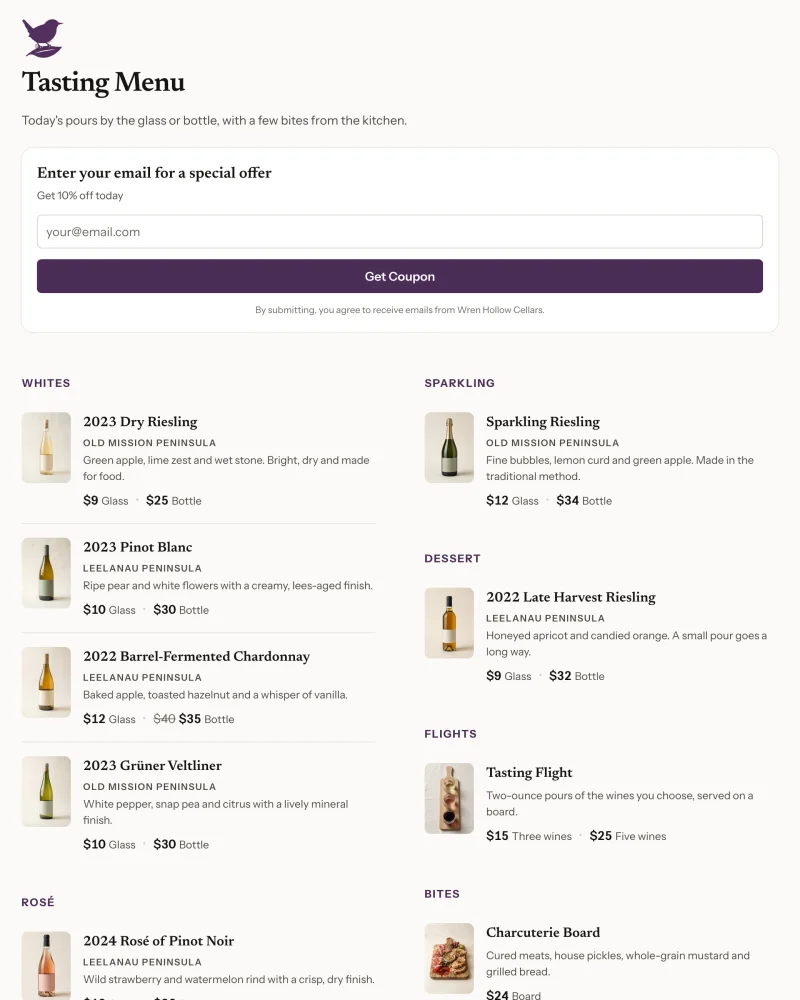
Print the menu your guests see on their phones, or put it on your website. Sync from Commerce7 and all three show the change.
Print it
Vinto lays out the page for you. It picks the columns and fits your menu onto the fewest pages it can, so most menus are ready to print as they are. Top it with your own header image, or use the one Vinto builds from your logo.
See a printed menuPut it on your website
Paste one snippet into your site, in builders like Squarespace and WordPress. The menu sizes itself to fit.


Built right into Commerce7.
Vinto opens inside your Commerce7 admin, so there’s no separate account or password. Your team signs in the way they already do.
- Import products with prices, images, variants, and more
- Sync one item or the whole menu
- Override product details and easily revert at any time
- Create custom items that aren’t in Commerce7
- Uses your logo and club signup from Commerce7
- Email signups become opted-in, tagged customers
What wineries ask first.
Be the first tasting room on Vinto.
Vinto opens to all Commerce7 wineries soon. Sign up for updates and we’ll email you when it launches.